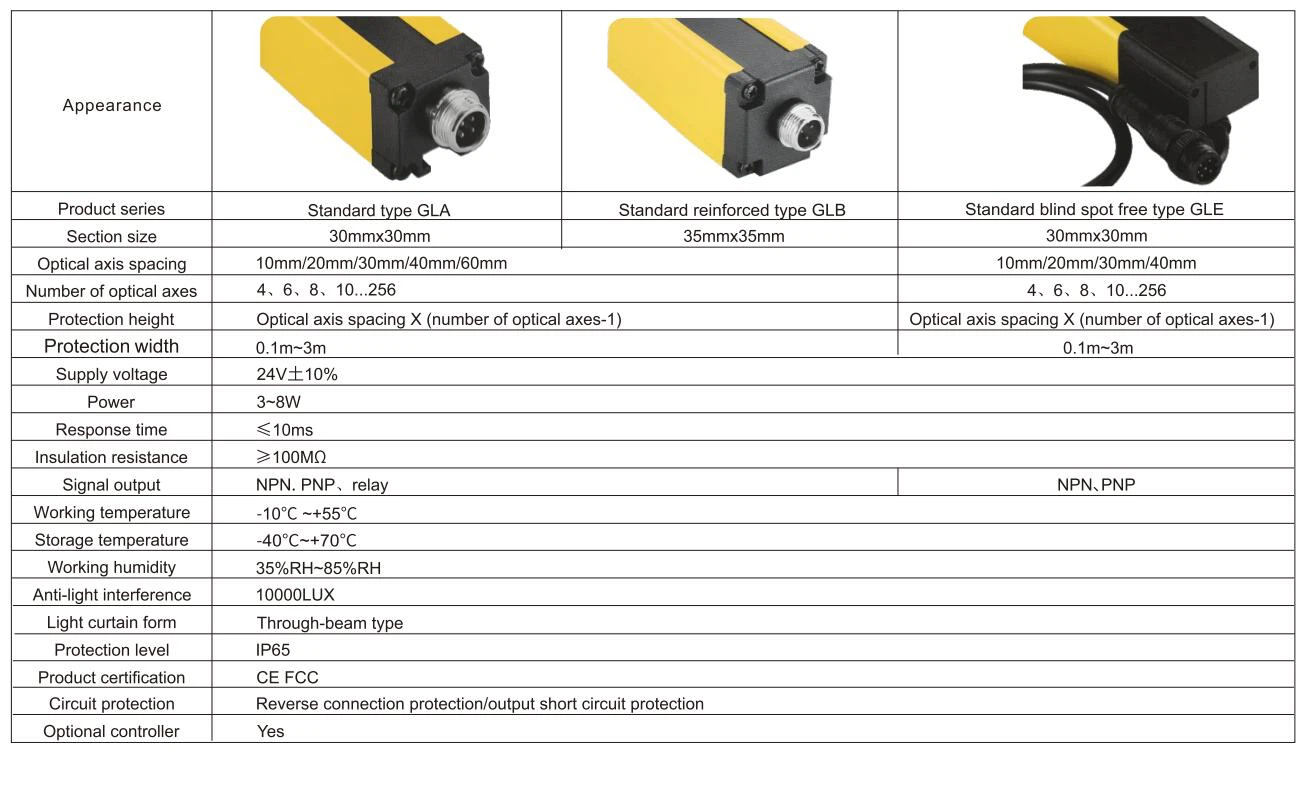
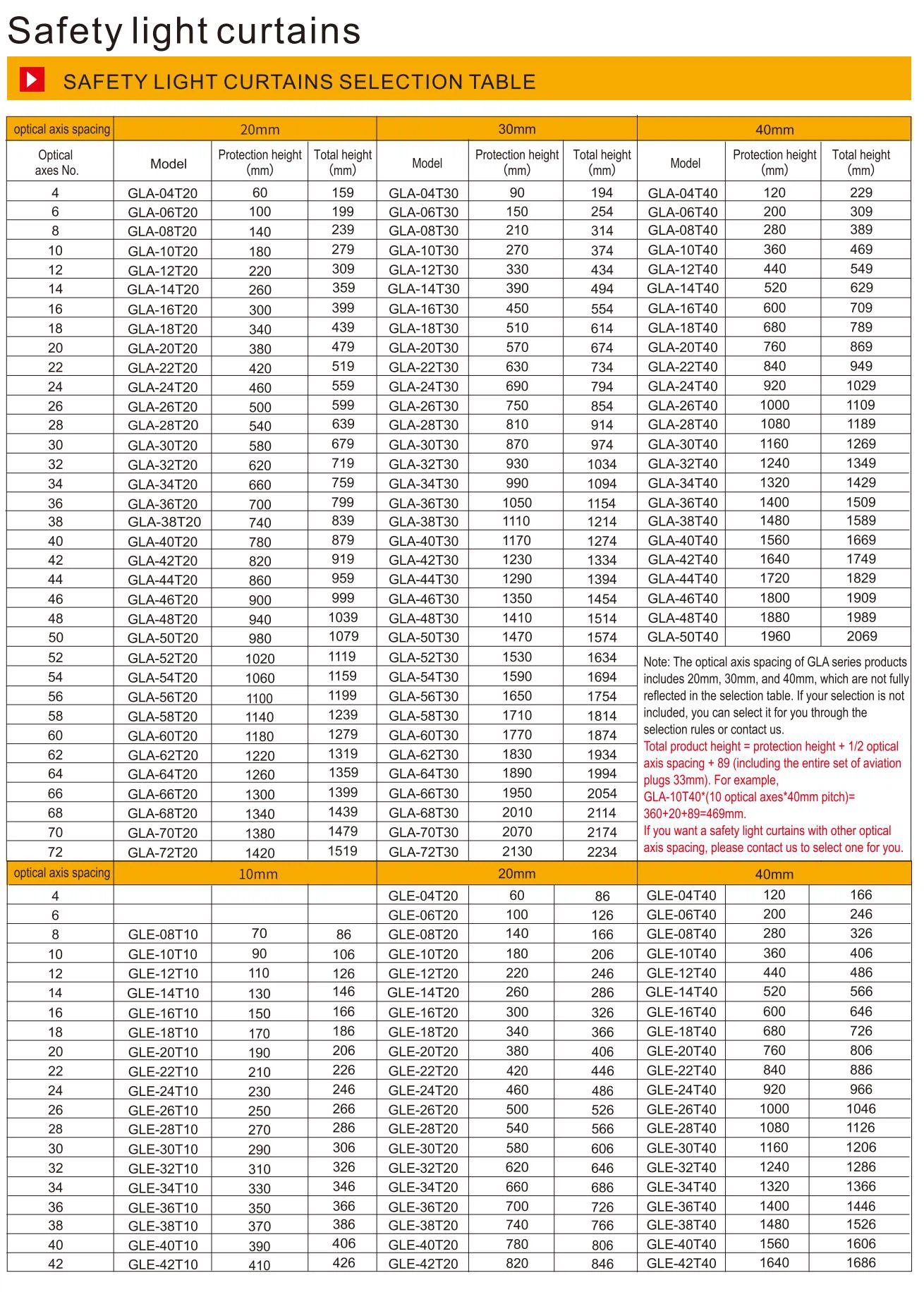
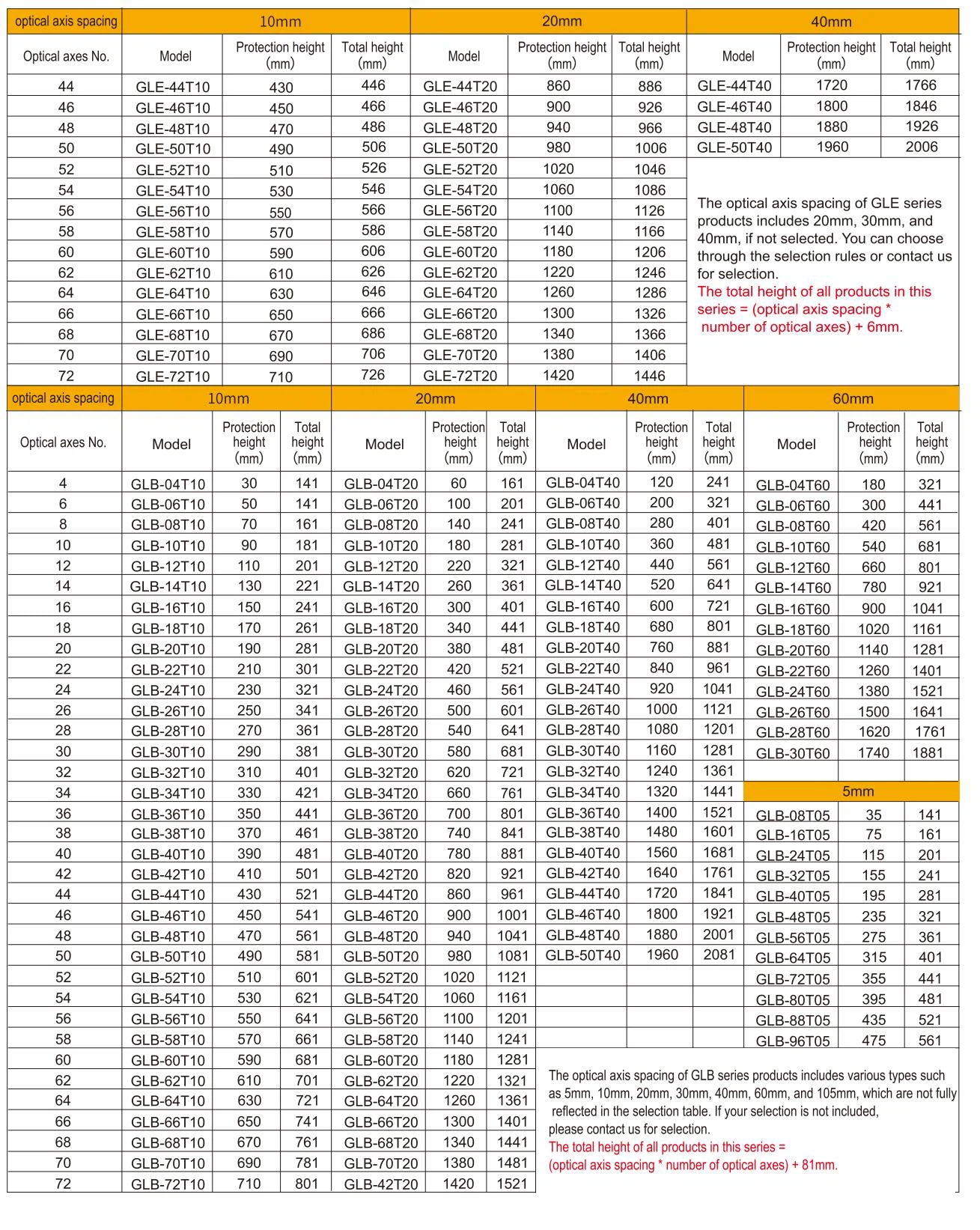
Products Features
. Garantta Industrial Light Curtains are easy to use and easy to set up
. End-to-end detection
. Thickened housing, strong structure, strong shock resistance, and collision resistance
. Highly visible alignment and diagnostic indicators
. IP65 protection grade
. Suitable for entrances, exits, and long-distance perimeter security protection
Advantages
- Reduce downtime and increase productivity
- Various sizes and specifications, simple wiring, simple and fast installation
- High user-friendliness through LED indication of working and fault status
- Short reaction time, compact design, and saving space
- Various functions such as feedback loop monitoring, reset, confirmation, and diagnosis
- Industrial Light Curtains, No blind spots type, which improved safety
- A variety of corresponding assembly kits are available, and assembly options are quick and easy
Selection Tips
Choosing the right type of light curtains with the right resolution is key to ensuring safe and efficient operation of the equipment
1. Identify the application scenario
The choice of resolution depends first on the specific application scenario and the object to be protected:
Finger protection: High resolution (usually 5mm, 10mm, or 20mm) is required to prevent fingers from entering the hazardous area.
Palm or arm protection: Medium resolution (usually 30mm or 40mm) is sufficient.
Body or large object protection: Low resolution (usually 60mm or above) is sufficient.
2. Determine the minimum size of the protected object
The resolution should match the minimum object size that needs to be detected:
If you need to detect fingers, the resolution should be smaller than the finger diameter (usually 5mm, 10mm or 20mm).
If you need to detect the palm, the resolution should be smaller than the palm width (usually 30mm or 40mm).
If you need to detect the entire body or large objects, the resolution can be larger (usually 60mm or above).
3. Consider the safety distance
The resolution affects the minimum safety distance of the Industrial Light Curtains (that is, the minimum distance between the Industrial Light Curtains and the hazardous area):
High resolution: The safety distance is shorter and suitable for scenes with limited space.
Low resolution: Longer safety distance, requiring more installation space.
4. Response time
The higher the resolution, the shorter the response time of the Light Curtain Sensor may be, which is especially important for high-speed equipment:
If the equipment runs fast, choose a high-resolution Industrial Safety Light Curtain to ensure fast detection and shutdown.
If the equipment runs slowly, you can choose a medium or low-resolution Light Curtains.
5. Environmental factors
Dusty and oily environment: High-resolution Industrial Light Curtains may be more susceptible to contamination, so you need to choose a product with a higher protection level (IP level).
Vibration or shock: Make sure the resolution and installation method of the Industrial Curtains Sensor can adapt to the vibration environment.


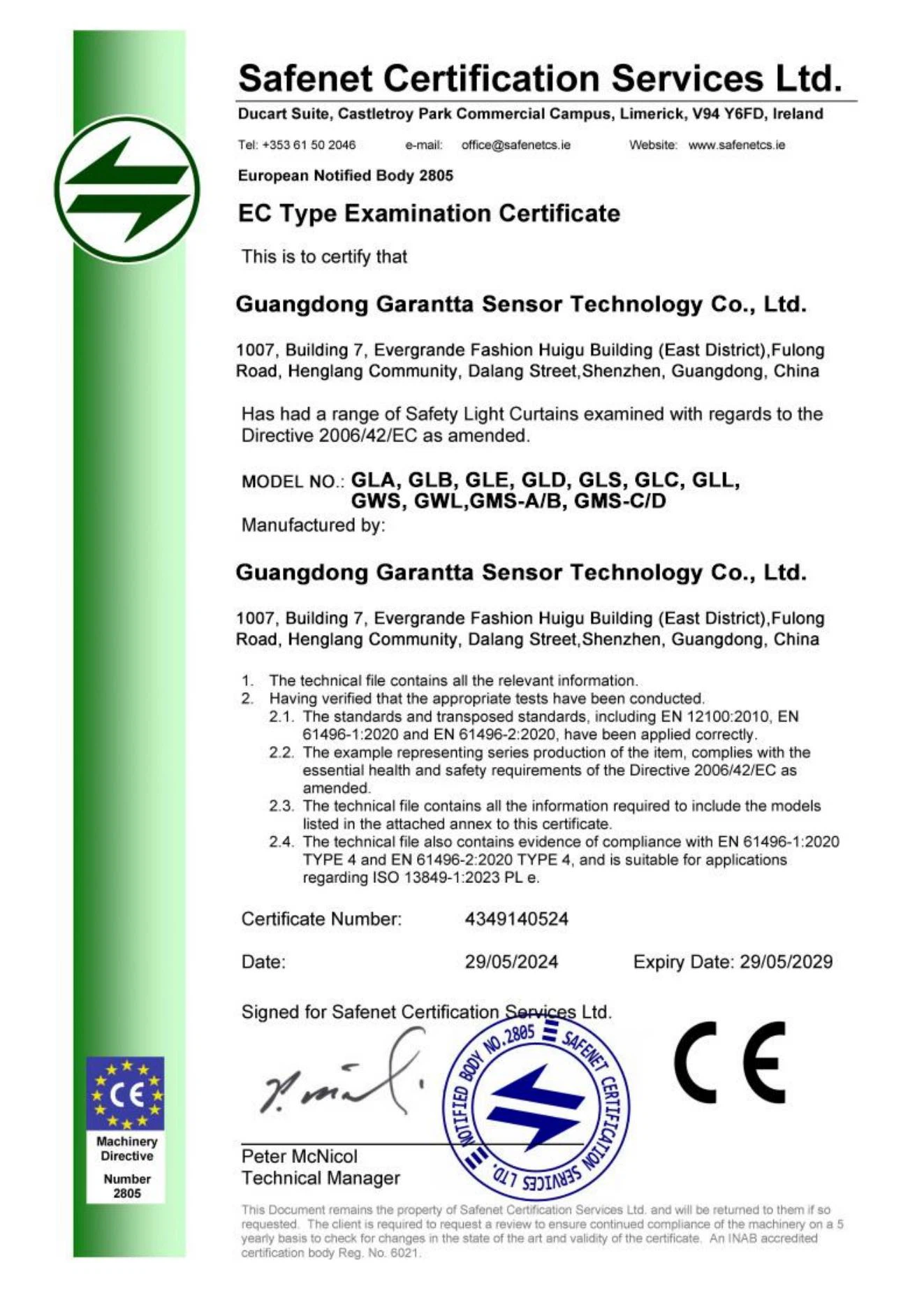
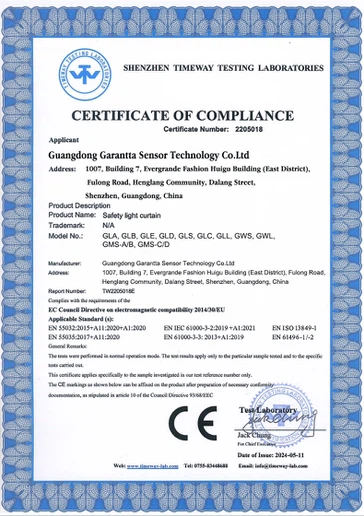
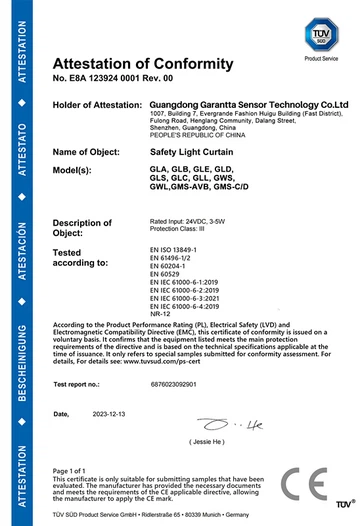
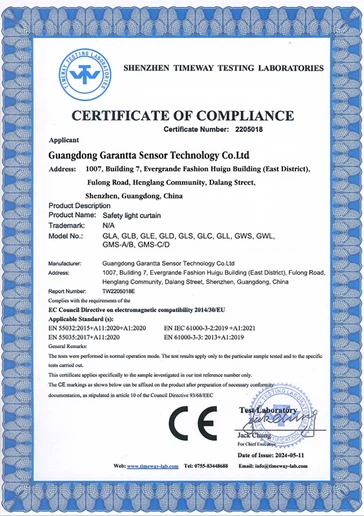
Our Certificate
FAQ
Q: What is on the shipping list of Garantta's safety industrial light curtains?
Garantta Light Curtains are mainly composed of a light transmitter, a light receiver, a transmission line, a power line, a controller, etc. The installed accessories should include steel pipe bracket, screws, steel pipe bracket base, shock absorber bracket, fixing clamp and etc.... The quantity of these accessories is indispensable, and the package should also include instructions and an accessories list! When you receive the package of safety light curtains, please be sure to check the list carefully. If you have any questions, please contact our Garantta sensor manufacturer in time. At the same time, if you install the Light Curtains by yourself and don't know how to install them, you can directly call us for consultation. As a manufacturer of photoelectric sensor safety light curtains, we will patiently answer your questions.
Q: How to debug before using a safety industrial light curtains?
A: 1. Check the user manual
Before using the industrial safety light curtain, you must connect it to a working environment that meets the requirements of the power supply and voltage. After the safety light curtain is installed, a comprehensive inspection should be carried out to see if all the connection parts are correct and firm. After confirmation, power can be turned on for debugging.
2. Perform light alignment debugging
When debugging the safety light curtain, including the position of the optical receiver, the entire system can be correctly aligned with the corresponding position, maintain balance, and make the green indicator light on the safety light curtain light up, indicating that it can be used normally.
3. Recheck and retest
Put the safety light curtain switch in the "protection" position, block each light beam, turn off the light indicator light (green) on the receiver and controller, and light up the shading indicator light (red); when the light is on, the light (green) indicator light on the punch protection device receiver and controller is on, and the shading (red) indicator light is off. Then put the locking switch in the "non-protection" position, the green indicator light on the safety light curtain controller remains on, and the yellow indicator light flashes; if the indicator lights on the receiver and controller are the same as in the "protection" state, it indicates that the photoelectric protector is in a normal state.
The above are several specific methods for debugging before using the safety industrial light curtain. In addition, it is necessary to confirm whether the distance and height position of the punch protector are correct. At the same time, the safety light curtain manufacturer reminds us to check whether the screws of each part of the equipment are firm, especially the installation screws of the protector, and be sure to confirm it again to ensure reliable operation.
Hot Tags: industrial light curtains, China industrial light curtains manufacturers, suppliers, factory, capacitive and inductive proximity sensor, Measurement Light Grids, needle thermocouple, diffuse reflection laser photoelectric sensor, Safety Light Curtain Sensor, no proximity switch